Inviting your team
Settings → Members is who can reach this workspace, and what each of them may do.
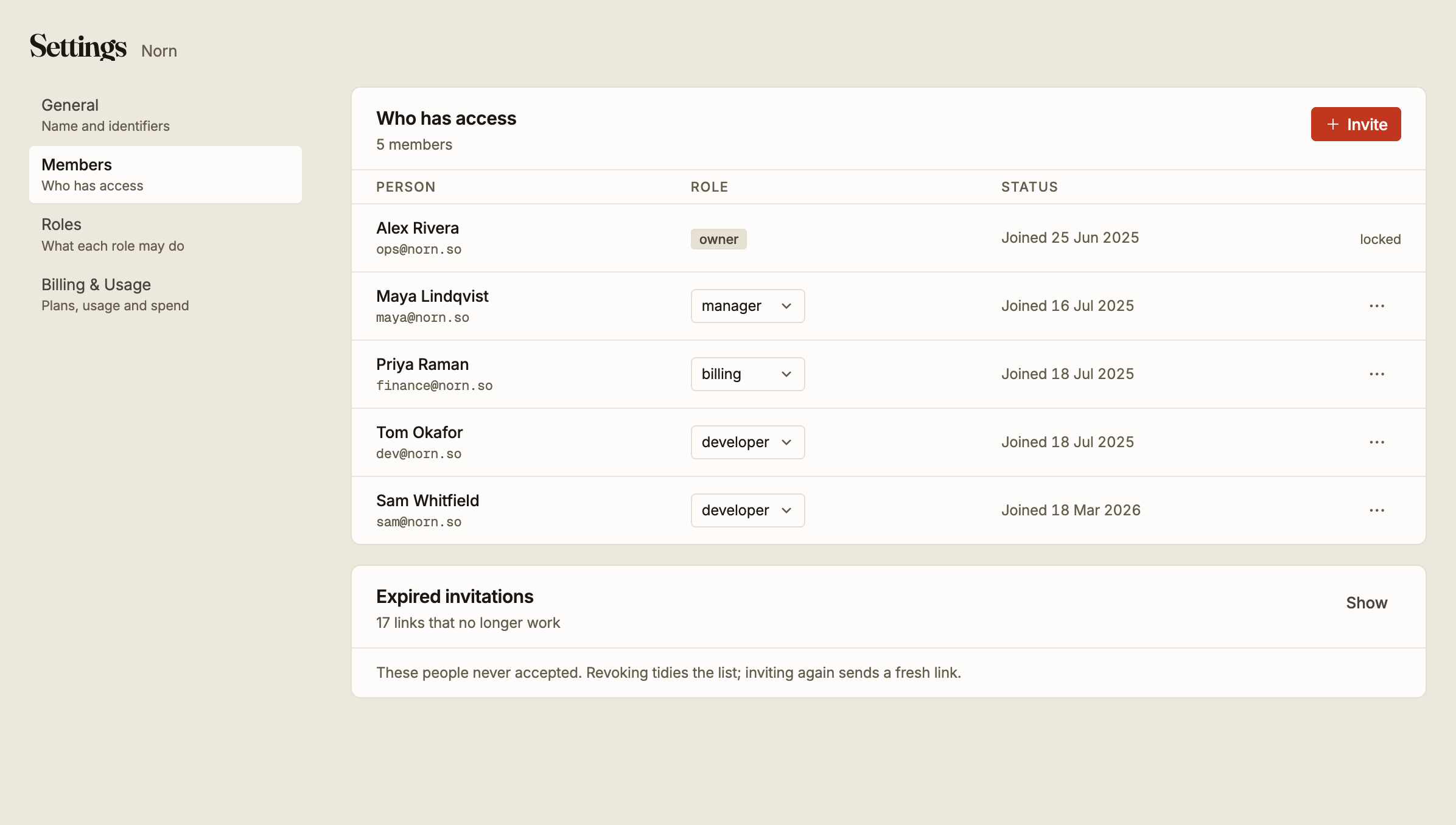
Inviting
Invite takes an email address, a name and a role. The person receives a link, and nothing about the workspace is shared with them until they accept it.
An invitation link expires after 24 hours. This catches people out more than anything else on this screen: an invitation sent on Friday afternoon is dead by Saturday, and the person following it on Monday sees only that it no longer works.
Nothing is lost. Invite them again and a fresh link goes out.
Pending invitations appear in the list alongside real members, so you can see who has been asked and has not yet accepted. Expired ones are collected separately under Expired invitations, out of the way but still countable. Revoking those tidies the list and nothing more, because an expired link already does not work.
Changing someone's role
The role is a dropdown on each row. Changing it takes effect immediately, including for a session that is already open.
The owner is locked and cannot be changed here. Every workspace has exactly one, and it is the only role that cannot be removed from the last person holding it.
Choose the role by what the person actually does. See roles and permissions for what each one grants, and build a custom role when none of the built-in ones fits.
Removing someone
Removing a member ends their access to this workspace immediately. It does not delete their Epostix account, and it does not touch anything they created: their campaigns, domains and audiences belong to the workspace and stay.
Removing a member does not revoke API keys. A key belongs to the workspace, not to the person who created it, so anything they wired up keeps sending after they are gone. If the person leaving had access to credentials, go through API keys and SMTP credentials separately.