Verify a sending domain
Mail cannot leave Epostix until a domain is verified. Verification proves two things to receiving mail servers: that you authorised us to send for you, and that nothing altered the message on the way. Until both hold, your mail is unauthenticated, and unauthenticated mail is rejected or filtered by most large providers.
You do this once per domain. It takes minutes of work and then some waiting on DNS.
Add the domain
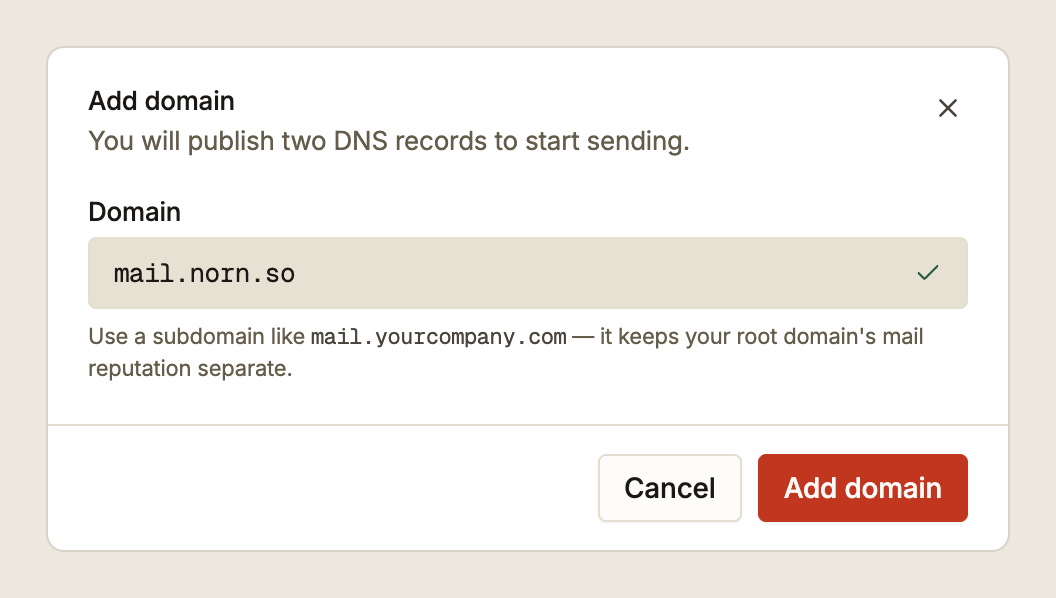
On Domains, choose Add domain.
Use a subdomain. mail.yourcompany.com rather than yourcompany.com. Sending
reputation is tracked per domain, so a subdomain keeps your campaign reputation from
touching the domain your staff send from and your website runs on. If a send goes badly,
the damage is contained.
The field is forgiving about what you paste. A full URL, a www. prefix, a trailing
slash, or an entire email address all resolve to the hostname underneath.
Two kinds of domain are refused, and neither is a bug:
| Refused | Why |
|---|---|
| Free inbox providers (Gmail, Outlook, Proton, GMX and similar) | You cannot publish DNS for a domain you do not own |
Platform subdomains (*.vercel.app, *.pages.dev, *.myshopify.com and similar) | The DNS is the platform's, not yours |
Both need the same thing: a domain whose DNS zone you can edit.
Publish the DNS records
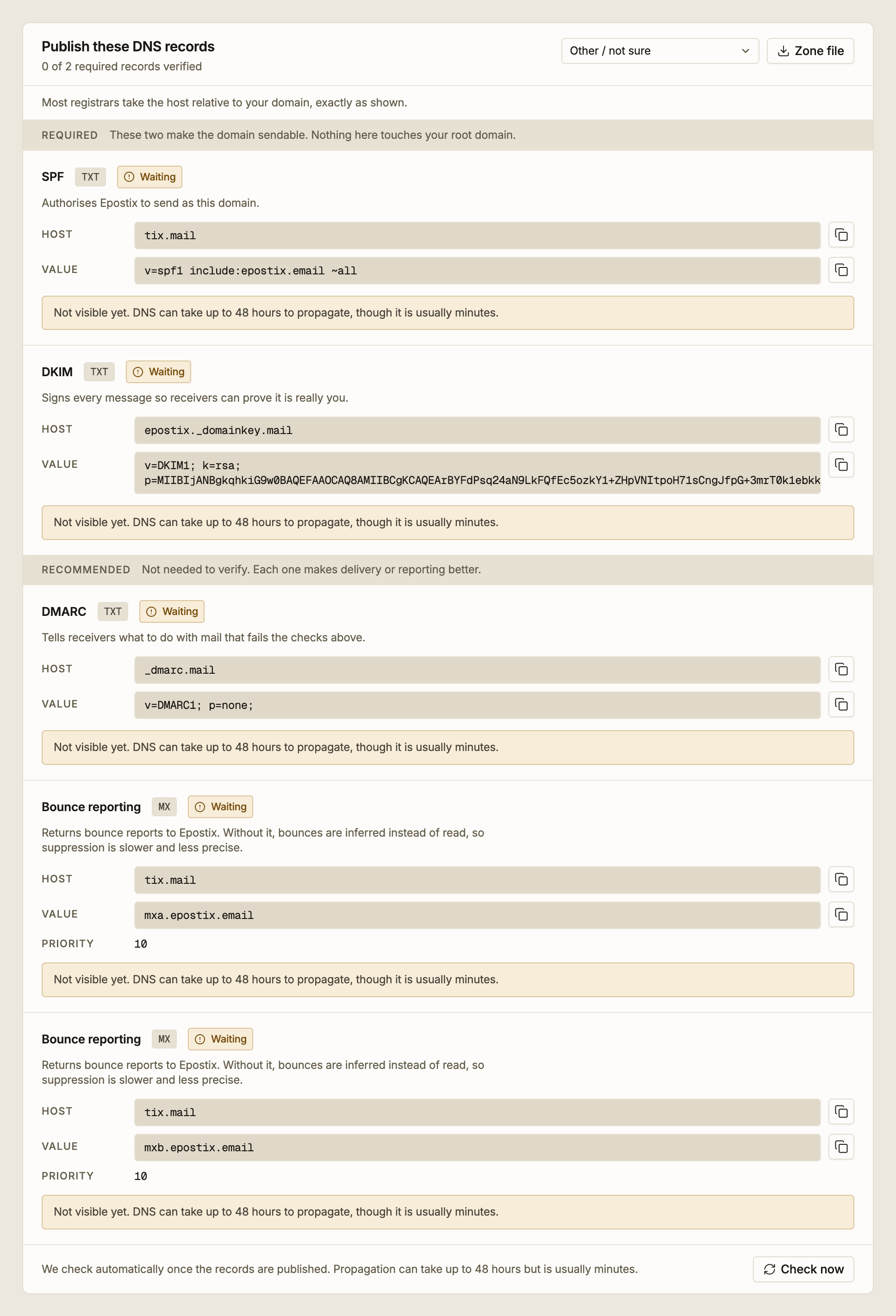
Adding the domain generates its records. Two are required and three are recommended.
| Record | What it does | Required |
|---|---|---|
| SPF | Authorises Epostix to send as this domain | Yes |
| DKIM | Signs every message so receivers can prove it came from you | Yes |
| DMARC | Tells receivers what to do with mail that fails the checks above | No |
| Bounce reporting (two MX records) | Returns bounce reports to Epostix, so suppression is read rather than inferred | No |
Only SPF and DKIM decide verification. The other three improve delivery and reporting and can be added later. The counter in the panel header tracks the required two.
The host is relative to your root domain, and it already includes your subdomain.
If you added mail.norn.so, the SPF host reads tix.mail. You create that record in the
norn.so zone, not in a separate zone for mail.norn.so. Entering the full
tix.mail.norn.so is the most common mistake here: most registrars append your domain
themselves, so you end up with tix.mail.norn.so.norn.so, which resolves to nothing.
Each record has a copy button for its host and its value. Copy rather than retype. The DKIM value is a long public key and a single wrong character fails the check.
Set your DNS provider in the picker at the top of the panel. It relabels the fields to match what your provider calls them, reformats the values where a provider needs it, and shows the one thing that provider gets wrong most often. If yours is not listed, leave it on Other / not sure. Two worth knowing:
- Cloudflare. Set the record's proxy status to DNS only. A proxied mail record does not resolve to what receivers need to see.
- Route 53. It wants the fully qualified record name, and TXT values wrapped in quotes. Selecting it reformats both for you.
Zone file downloads all the records in BIND format, if you would rather paste a zone than fill in a form.
Wait for the check
Epostix checks automatically as soon as the records are published. You do not need to stay on the page. Each record updates in place as it starts resolving.
Checks begin straight away and then space out as attempts fail: after a minute, five minutes, fifteen minutes, an hour, three hours, six hours, and then every twelve hours. The panel shows the time of the next one.
Check now runs a check immediately. Use it once you have finished publishing, rather than waiting for the next scheduled attempt.
DNS propagation takes up to 48 hours, though it is usually minutes. If the records are right, waiting is the whole job.
After about three and a half days without both required records resolving, automatic checking stops and the records are marked as failed. Nothing is lost. Publish the records and press Check now to start again.
When a record does not match
If a record resolves to something unexpected, the panel says so under that record, shows the value it actually found, and names the likely cause. These are the usual ones.
| What you see | Cause |
|---|---|
| Your domain appears twice in the value | Your registrar appended the domain to a host that already included it |
| The value is wrapped in quotes | Most registrars add quotes themselves, so paste the value without them |
| Only a trailing dot differs | The two forms are not interchangeable. Remove it, or let the registrar add it |
| The expected value plus something else | Extra text in the same record makes it invalid. Give it a record of its own |
| A Cloudflare response to a TXT lookup | The record is proxied. Set it to DNS only |
| Nothing found at that host | Either the record has not propagated yet, or the host is wrong |
The value shown as Found is what a receiving mail server would see. Comparing it with the value in the panel usually makes the problem obvious.
Verified

When both required records resolve, the domain becomes Verified and you can send from any address at it. Automatic checking stops.
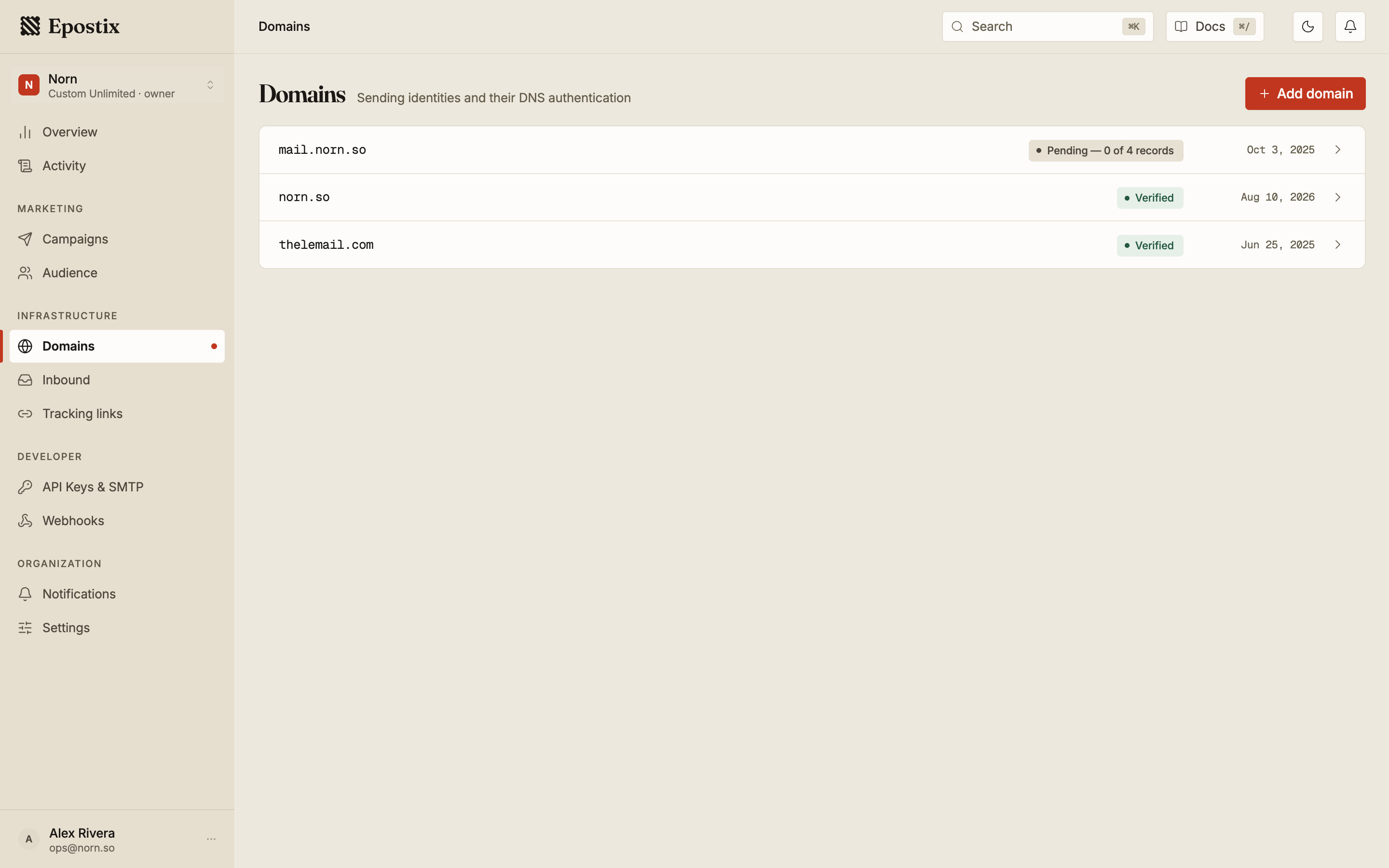
The Domains list shows every domain and its state, most urgent first. A domain stays Pending while its records are still resolving, and shows what is outstanding.
Verification is not permanent. The domain keeps a DNS health panel showing when its records were last checked, and it says so plainly when a required record stops resolving. Sending from a domain whose authentication has broken is the fastest way to lose delivery, so treat that message as urgent.