SMTP credentials
SMTP is how anything that already knows how to send mail talks to Epostix: an application framework, a CRM, a printer, a script. It sits on the SMTP tab of API Keys & SMTP, next to the API keys that do the same job over HTTP.
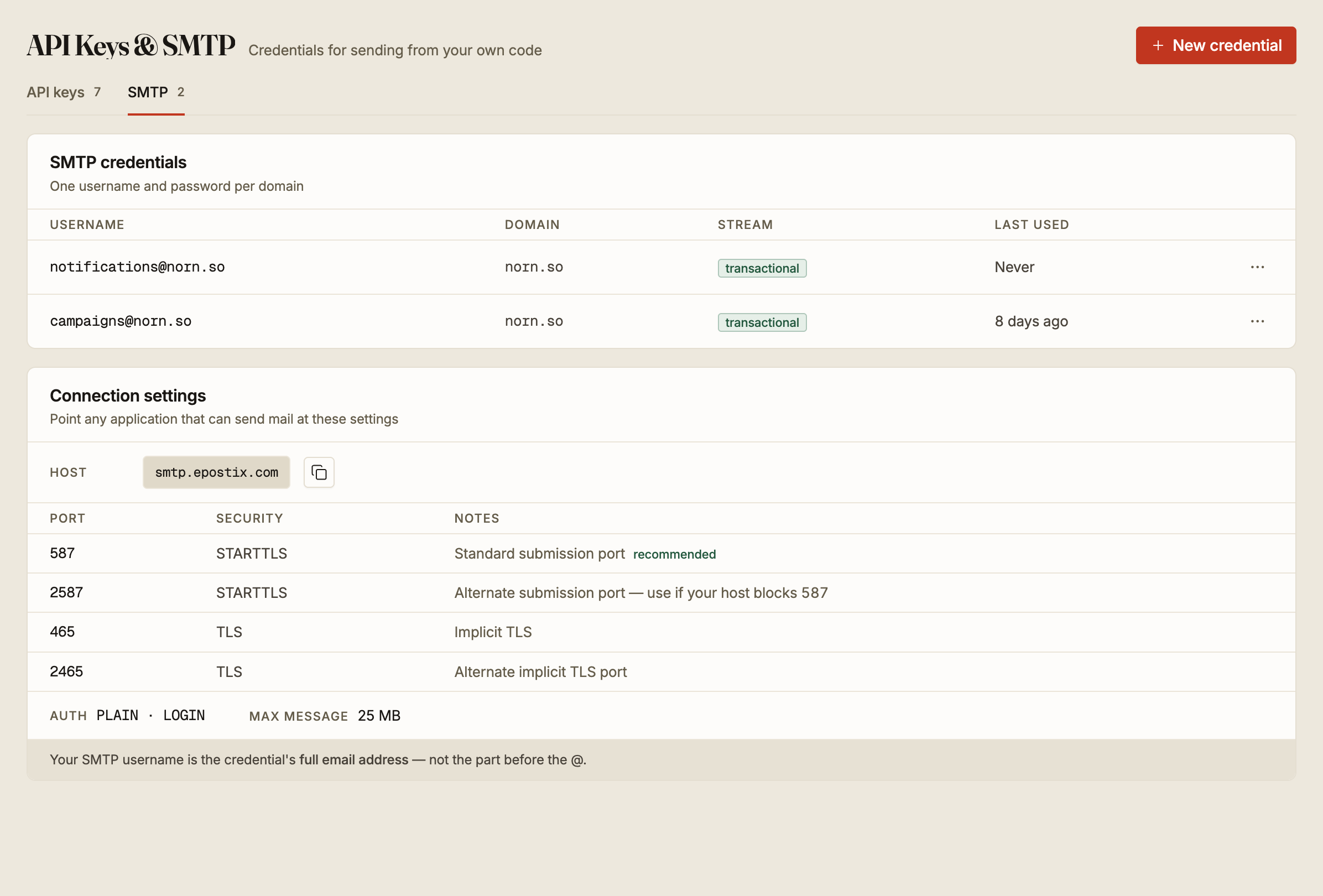
Connection settings
| Setting | Value |
|---|---|
| Host | smtp.epostix.com |
| Authentication | PLAIN or LOGIN |
| Username | The credential's full email address |
| Maximum message | 25 MB |
Four ports are available:
| Port | Security | Use it when |
|---|---|---|
| 587 | STARTTLS | Always, unless something stops you. This is the standard submission port |
| 2587 | STARTTLS | Your host blocks 587, which many cloud providers do |
| 465 | Implicit TLS | Your client wants TLS from the first byte rather than upgrading |
| 2465 | Implicit TLS | Your host blocks 465 |
The username is the whole address, [email protected] and not notifications. This
is the single most common reason a first SMTP connection fails to authenticate.
Port 25 is not offered for sending. It is the port receiving servers use to talk to each other, it is blocked on most residential and cloud networks, and submission belongs on 587.
Creating a credential
New credential asks for four things.
A domain, chosen from your verified sending domains. A credential belongs to exactly one domain and can only send from it, so a workspace with two sending domains needs two credentials. If the list is empty you have no verified domain yet, and verifying one comes first.
A username, up to 64 characters, using letters, numbers, dots, dashes and underscores.
Epostix joins it to the domain, so notifications on norn.so authenticates as
[email protected].
A stream, transactional or marketing. This is not a label. It decides which sending infrastructure your mail goes through, and mixing the two costs you deliverability: a marketing send that stumbles should not drag your password resets down with it. Put receipts, resets and alerts on transactional, and anything a recipient could unsubscribe from on marketing.
A password, optional. Leave it blank and Generate for me produces one. Supply your own and it has to be at least 12 characters.
Rotating a password
Rotate password issues a new one for an existing credential.
Unlike a webhook signing secret, there is no overlap period. The old password stops working the moment the new one is issued, so anything still configured with it starts failing to authenticate immediately.
Rotate when you are able to update the sending application straight away, not at the end of the day.
Choosing between SMTP and the API
SMTP exists so that software you did not write, and cannot change, can send through Epostix. That is what it is good at.
For code you control, an API key is the better credential: scopes let you grant only what that integration needs, an IP allow-list can pin it to your servers, and the request count tells you whether it is still in use. An SMTP credential carries none of that. It sends, on one domain, on one stream, and that is the whole of it.
Both are visible in Activity the same way once the mail is sent, so this is a question about credentials rather than about how the mail is treated.