Branded short links
A tracking link is a short URL on your own domain that redirects to somewhere else and
counts the clicks: go.norn.so/summer-sale rather than a long campaign URL.
Two things make them worth the setup. They read as yours rather than as a redirector, and you can change where one points after the mail has been sent, which is the only way to fix a wrong link in a campaign that has already gone out.
These are different from click tracking. Click tracking rewrites every link in a message automatically and is invisible to you. A tracking link is one URL you created deliberately and can manage.
You need a tracking domain first
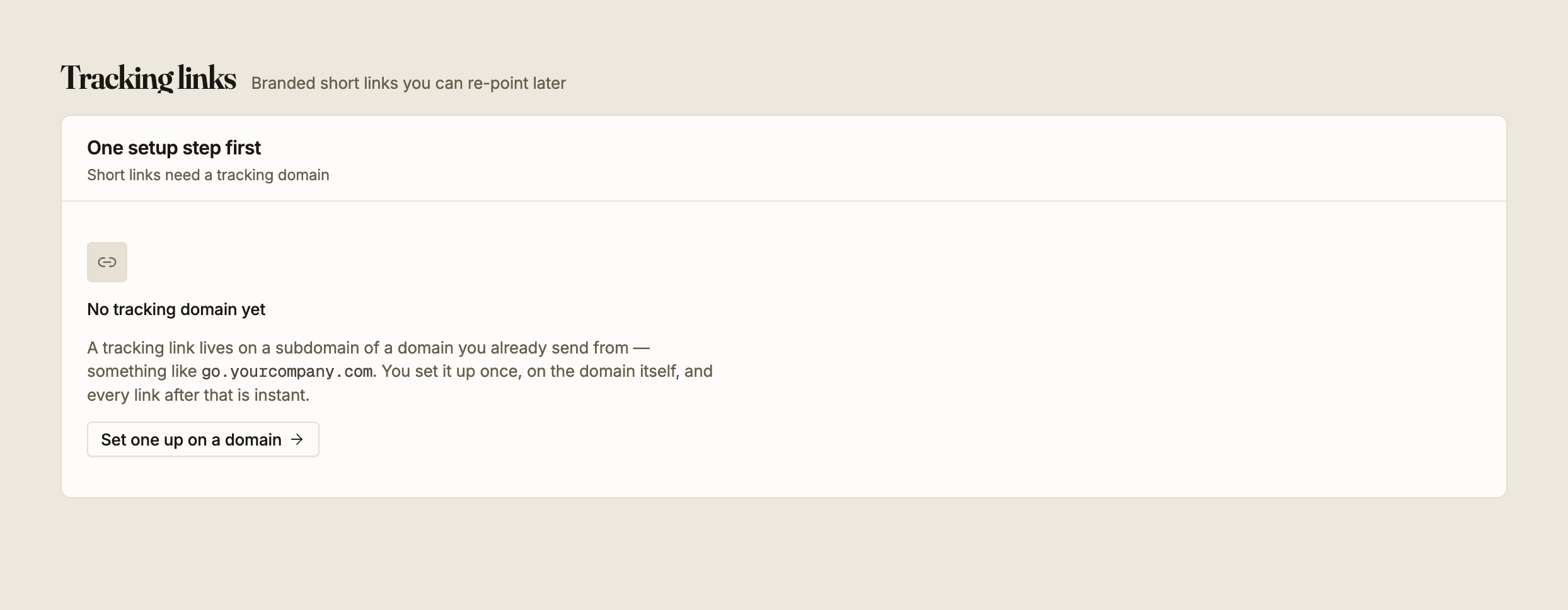
Links live on a subdomain of a domain you already send from, so a custom tracking domain has to exist and be serving before you can create one.
The screen tells you which step you are on:
| What it says | What it means |
|---|---|
| No tracking domain yet | Set one up on a sending domain first |
go.norn.so is waiting on its CNAME | Publish the record shown on the domain page and run the check |
go.norn.so is nearly ready | The CNAME resolves and the certificate is being issued |
A tracking domain only serves links once its CNAME is verified and its certificate has been issued. That last step usually takes a few minutes and needs nothing from you.
Creating a link
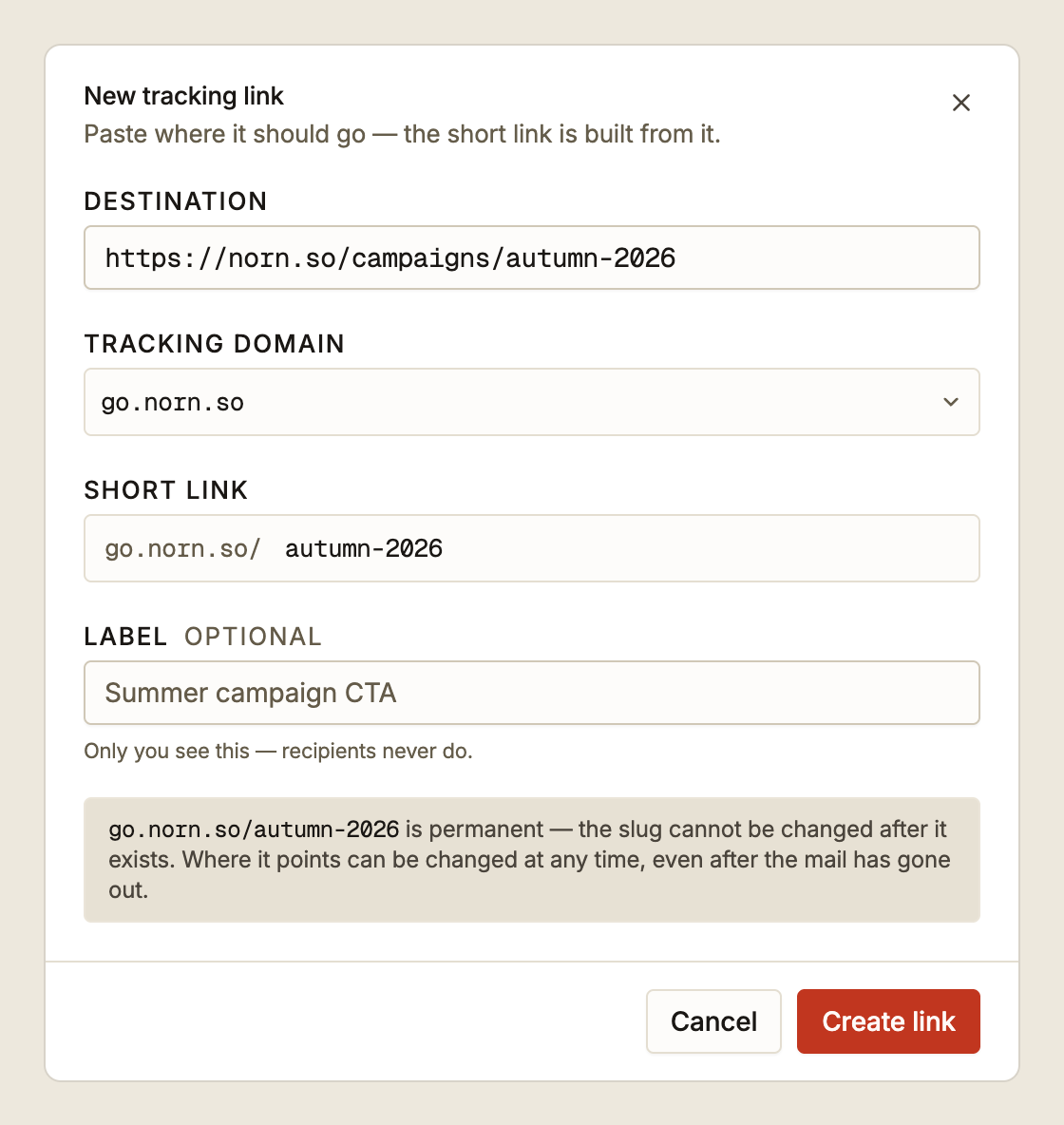
Paste the destination first. The short link is built from it: the last meaningful segment
of the URL path becomes the suggested slug, so
https://norn.so/campaigns/autumn-2026 suggests autumn-2026. Generic segments like
index, home and page are skipped, and if the path has nothing usable the domain name
is used instead. Overwrite the suggestion whenever you want something shorter.
| Field | Rules |
|---|---|
| Destination | Must include the scheme, as in https://example.com/page |
| Tracking domain | Which of your tracking domains the link lives on |
| Slug | 2–64 characters, lowercase letters, numbers and hyphens, no leading or trailing hyphen |
| Label | Optional, up to 120 characters. Internal only, so recipients never see it |
Slugs are unique per tracking domain. Reusing one on the same domain is refused; the same slug on a different tracking domain is fine.
The slug is permanent. Once the link exists, go.norn.so/autumn-2026 is fixed and there
is no rename. Where it points is not fixed, and that is the part you can change later.
If you need a different slug, create a second link and delete the first. Read the deletion warning below before deleting one that has already been sent.
Re-pointing a link
Changing a link's destination takes effect immediately, for everyone.
That includes people reading mail you sent weeks ago. It is the feature's whole purpose. A campaign went out with a link to the wrong page, and you fix the destination rather than sending a correction to your entire list.
It also means the same thing works against you: re-pointing a link that is doing its job silently redirects an audience you may not have in mind. Check the click count before you change a destination, because it tells you how many people have already used it.
The label can be changed at the same time, and changes nothing a recipient sees.
Deleting a link
Deleting is not the same as retiring.
A deleted link is a dead link in every email that contains it. Anyone who clicks it gets an error page, including recipients of mail sent months ago, who have no way to know what the link was meant to be. The link's recorded clicks are removed with it.
The confirmation asks you to type the slug, because this is not recoverable.
If a link has served its purpose but has gone out to real recipients, re-point it at something sensible, such as your home page or a page explaining the offer has ended, rather than deleting it.
Reading the list
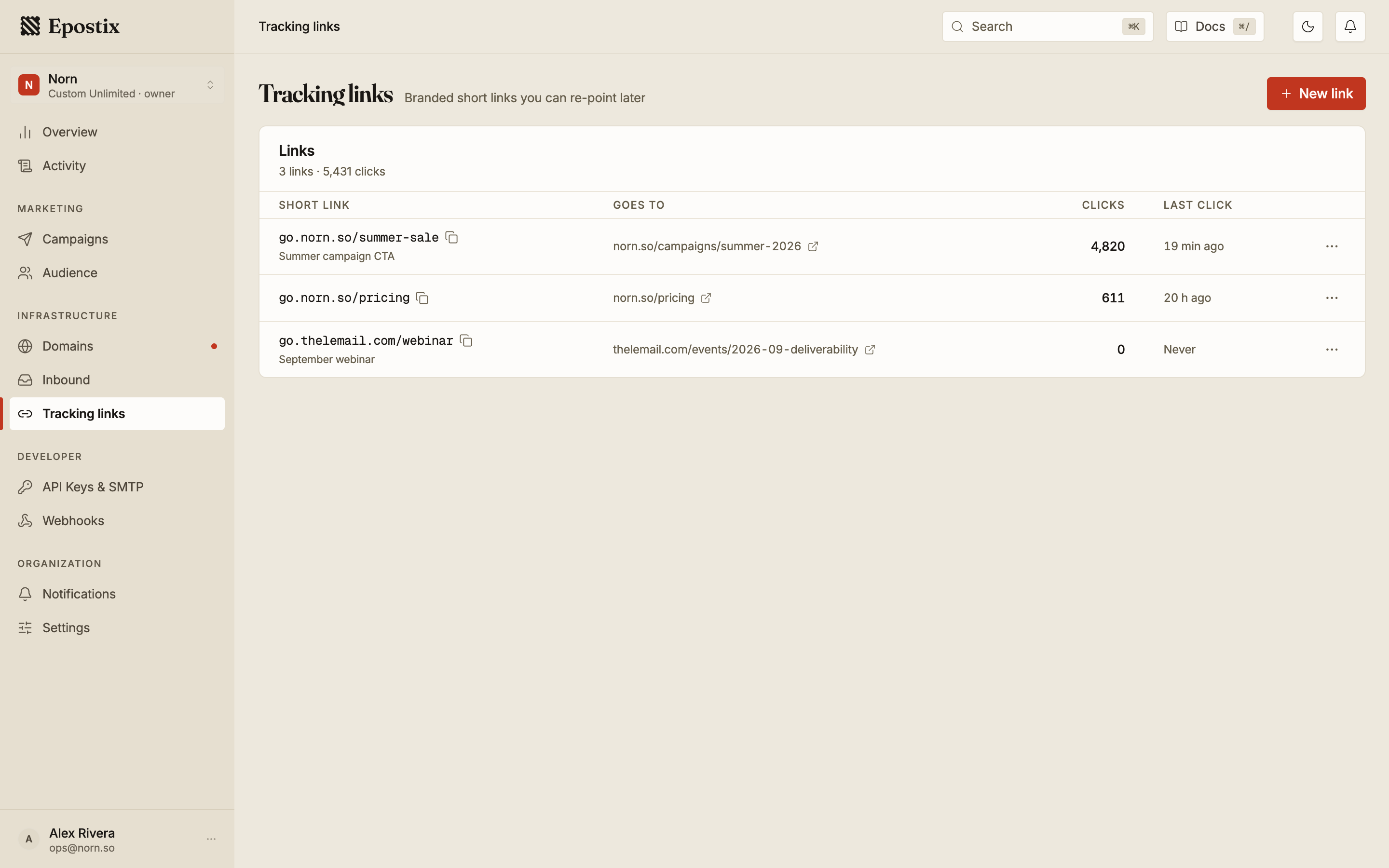
Each row shows the short link, where it currently points, its total clicks, and when it was last clicked. Never in the last-click column means the link has been created but not yet used, which is worth noticing on a link you believe you sent.
The search box matches the short link, the label and the destination, so you can find a link by where it goes as well as by what it is called.
The click count here is a count of visits to the short link itself, wherever the link was followed from: an email, but also a social post or a page you pasted it into. That makes it a broader number than the per-message clicks on a message timeline, which only count the message they belong to. Both detect automated scanners, so the same caveat applies to each.